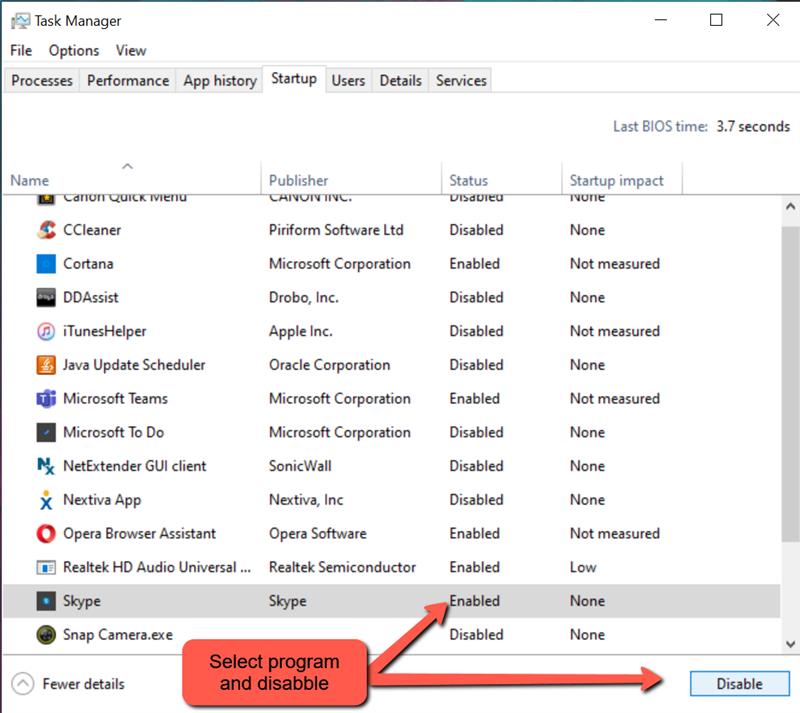
Removing unused apps from startup
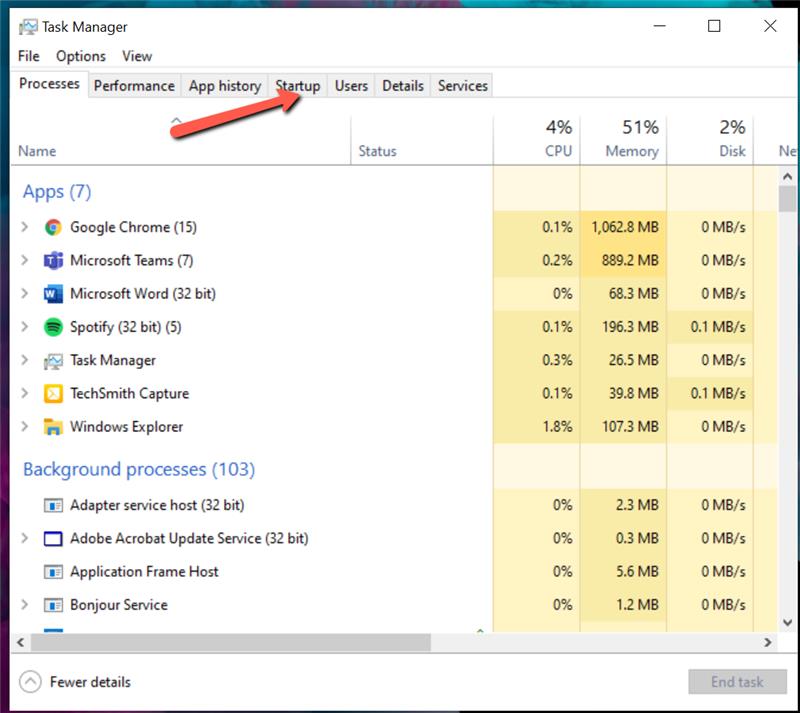
- Press ctrl+alt+del to bring up the task manager and Select Startup
- Select the program listed that you want to disable and select disable at the bottom

Modified on: Tue, 1 Dec, 2020 at 1:38 PM
Removing unused apps from startup
Did you find it helpful? Yes No
Send feedback